See BuilderMaxPro in action — no signup required
BuilderMaxPro is software, not a law firm. It is not a substitute for the advice of an attorney.
For Texas private projects with original contracts entered into on or after January 1, 2022; public projects are not covered. Dates and forms are built from the facts you enter, so check them and ask a Texas construction attorney about your situation. Coverage and limits →
Retainage, payment-bond and extended-suit dates are being corrected; check them with a Texas construction attorney.
Explore a sample project with AI-Drafted Estimates, lien-deadline tracking, estimates, and invoicing. No credit card or form required.
The interactive walkthrough and sample screens are in English.
- Structured AI-Drafted Estimates for human review*
- Texas deadline dates calculated from entered project facts
- Estimate → invoice → payment, end-to-end
*AI-drafted estimates can contain errors — review all quantities and pricing before use.
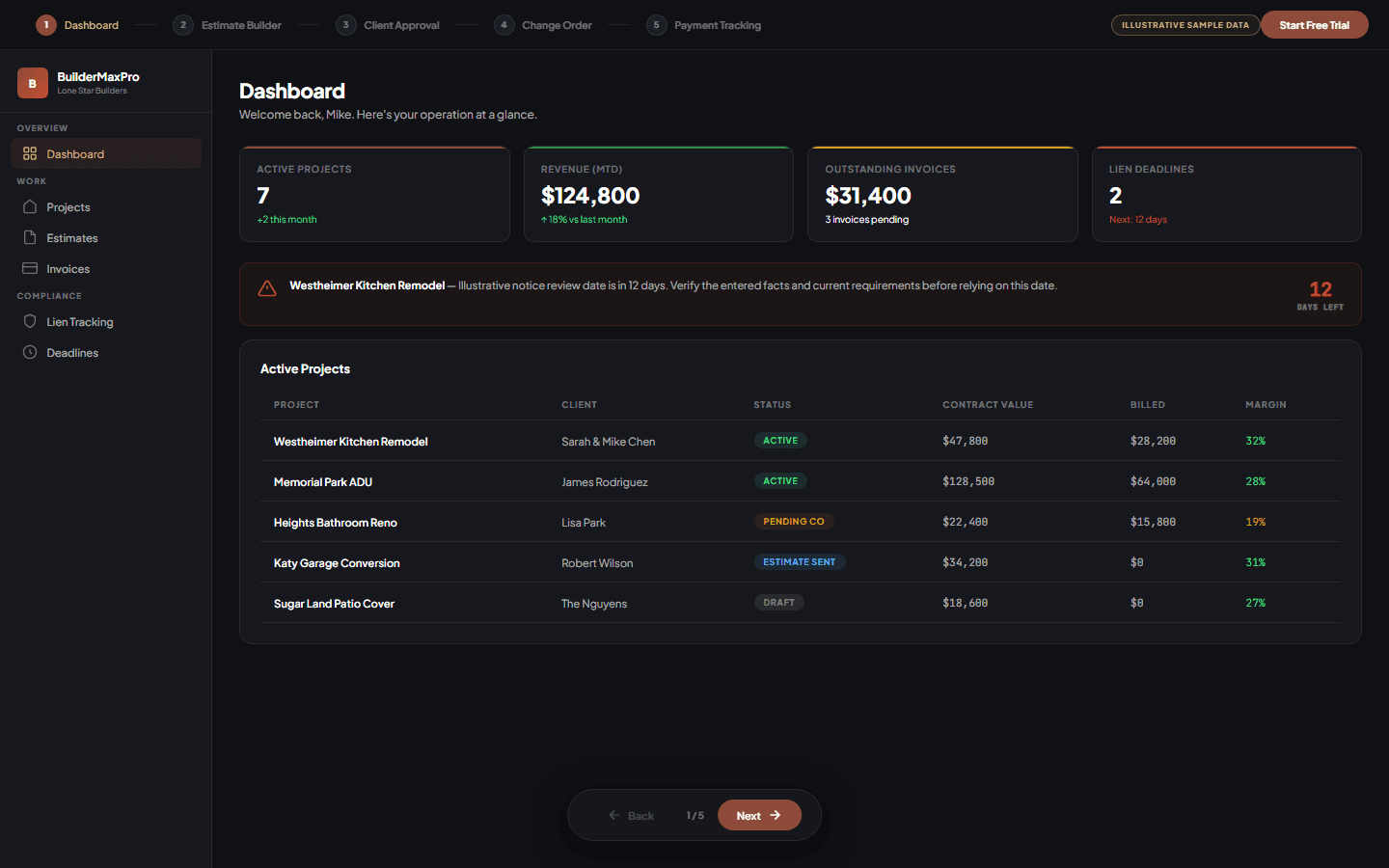
1. Review the sample project dashboard
Start with projects, estimates, invoices and deadline reminders in one view. The figures shown here are fictional examples.
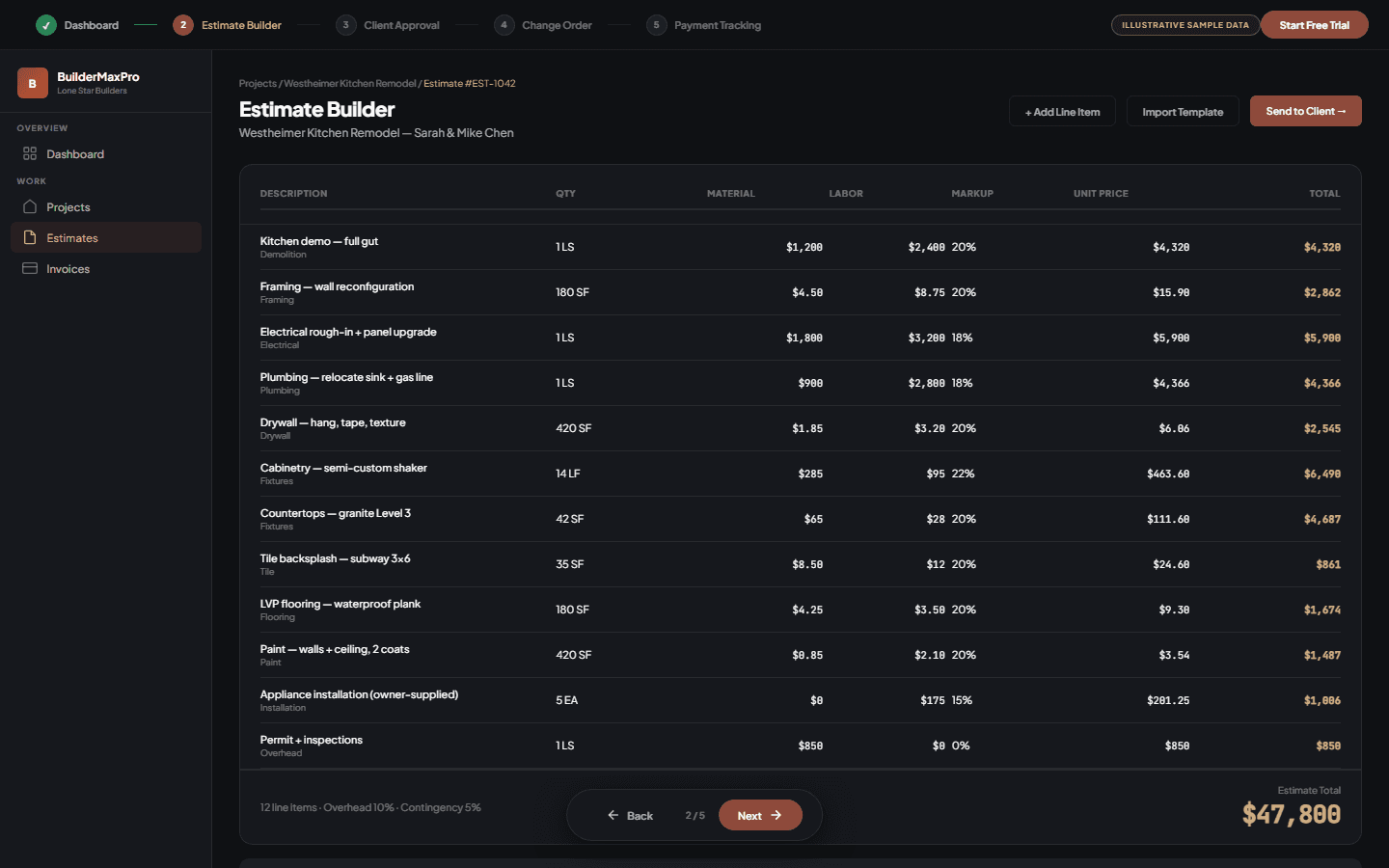
2. Build and review the estimate
Organize scope, quantities, material and labor inputs, markup and the estimate total. A contractor reviews every amount before sending it.
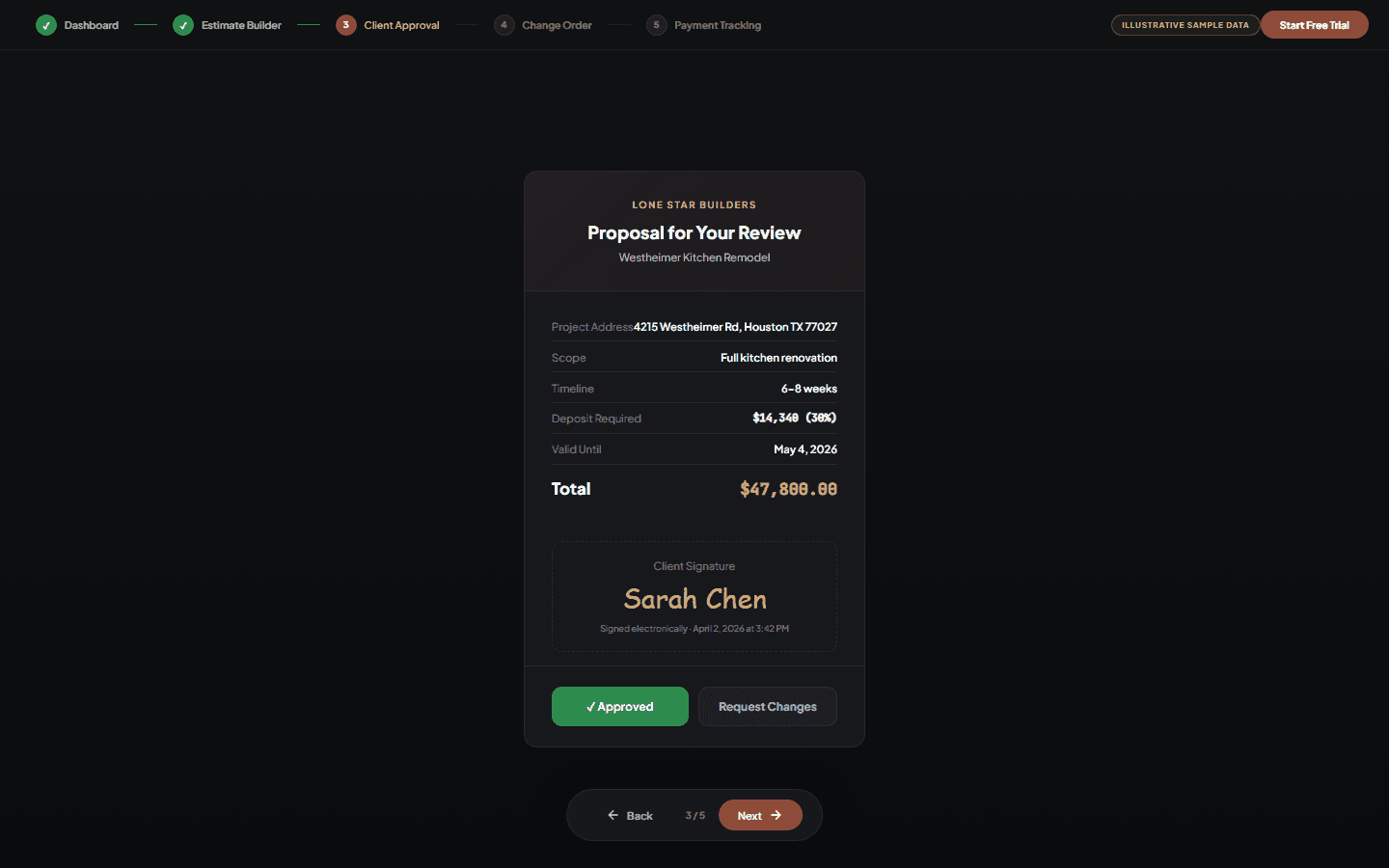
3. Capture the client's proposal decision
Present the scope, price, schedule and deposit request through the client workflow, then retain the recorded approval or requested changes.
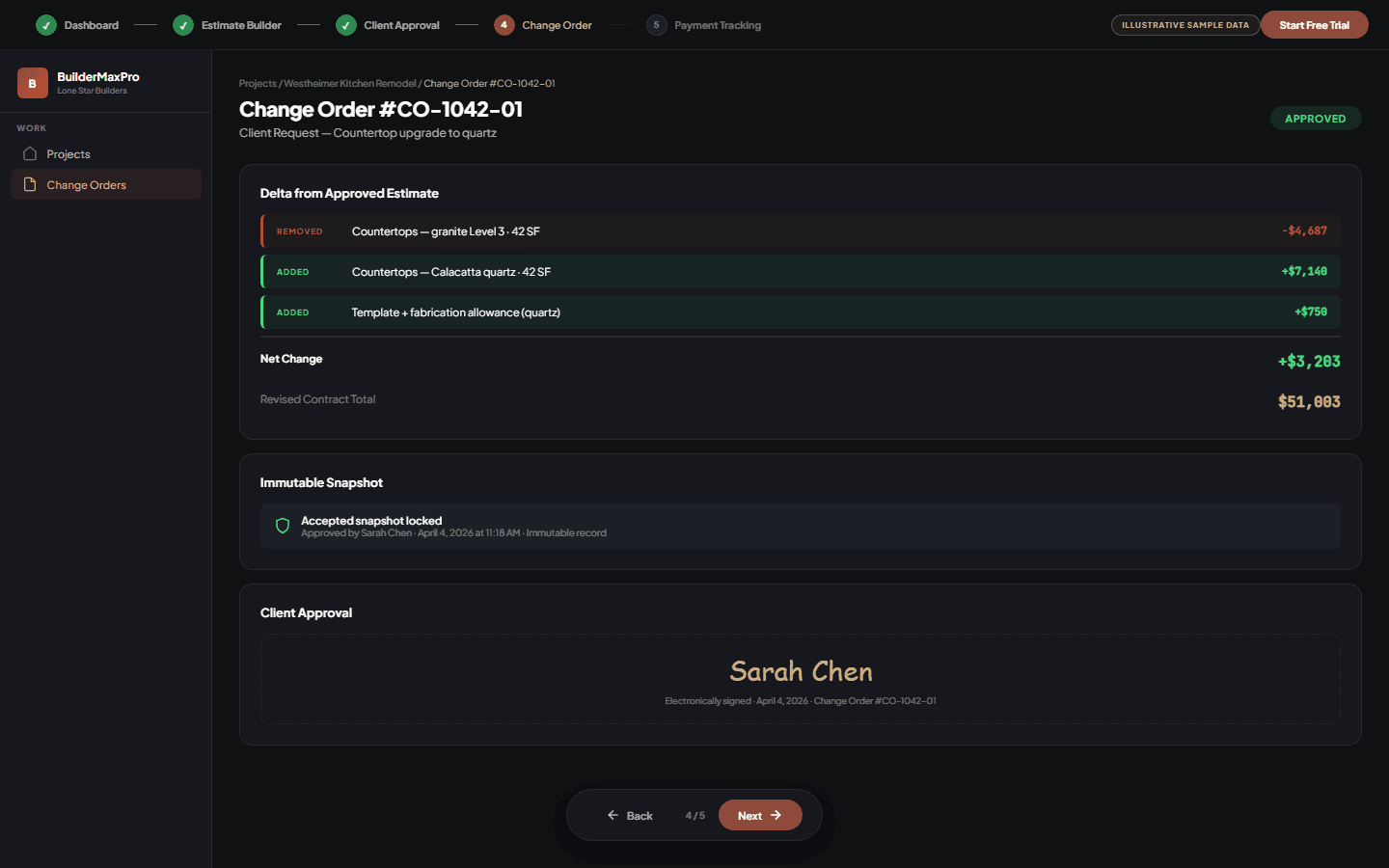
4. Document the approved change
Show removed and added scope, the net change and the revised contract total, with the approval record connected to the project.
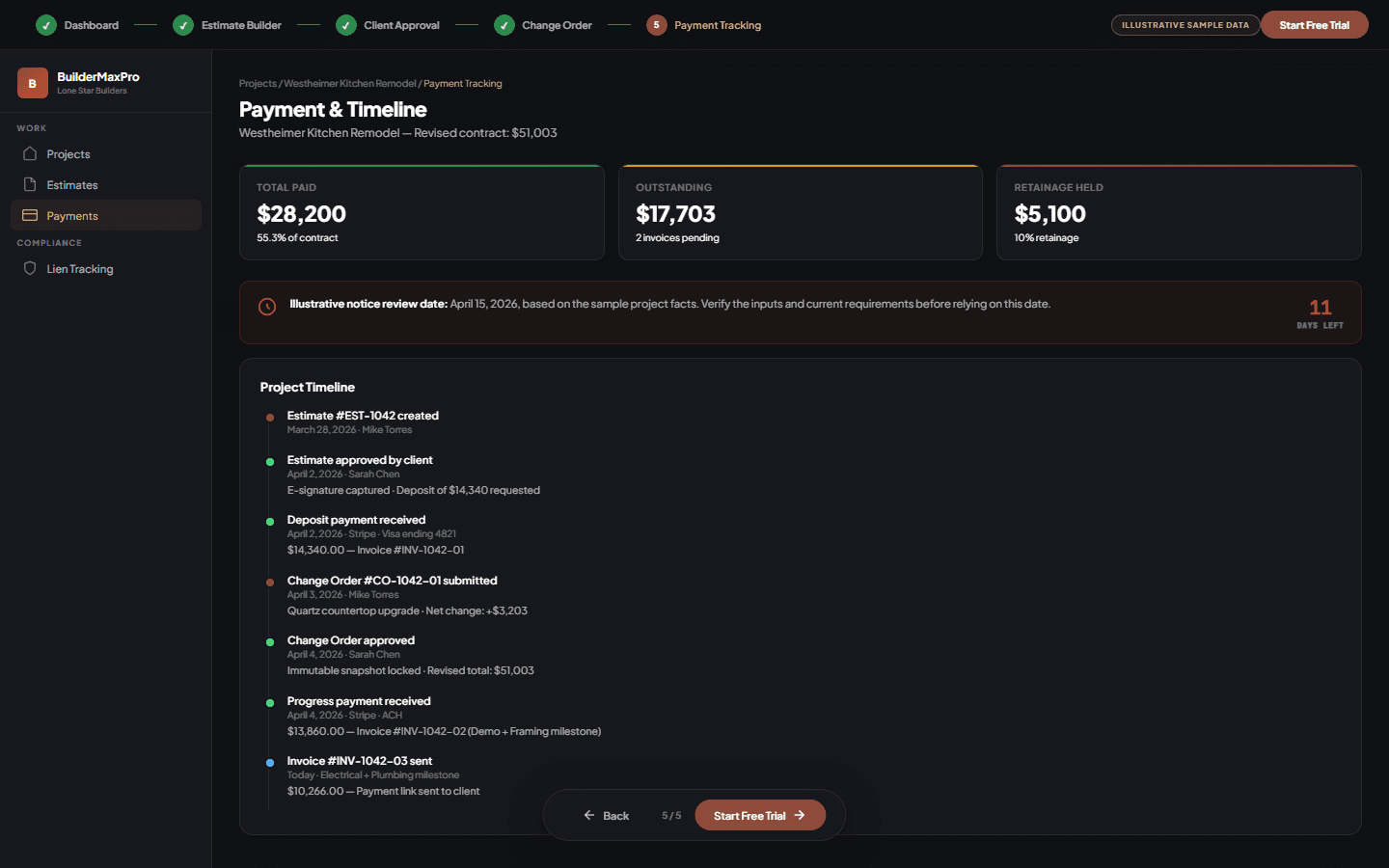
5. Track invoices, payments and calculated dates
Keep invoice and payment events on the project timeline alongside dates calculated from the entered Texas project facts. Review the facts and current requirements before relying on a deadline.
Run the job. Keep the paperwork payment-ready.
Organize estimates, approvals, invoices, and calculated Texas payment deadlines in one place.
No credit card required · Cancel anytime